
🛒 How to Use Coupon Codes
🛒 How To Use Coupon Codes
Saving money at The Coupon Bros is quick and easy. Follow these simple steps to apply your discount and save instantly.
1. Find a Coupon You Want to Use
Browse our active coupons and select an offer you’d like to use.
👉 Click the “Show Coupon Code” button on any deal
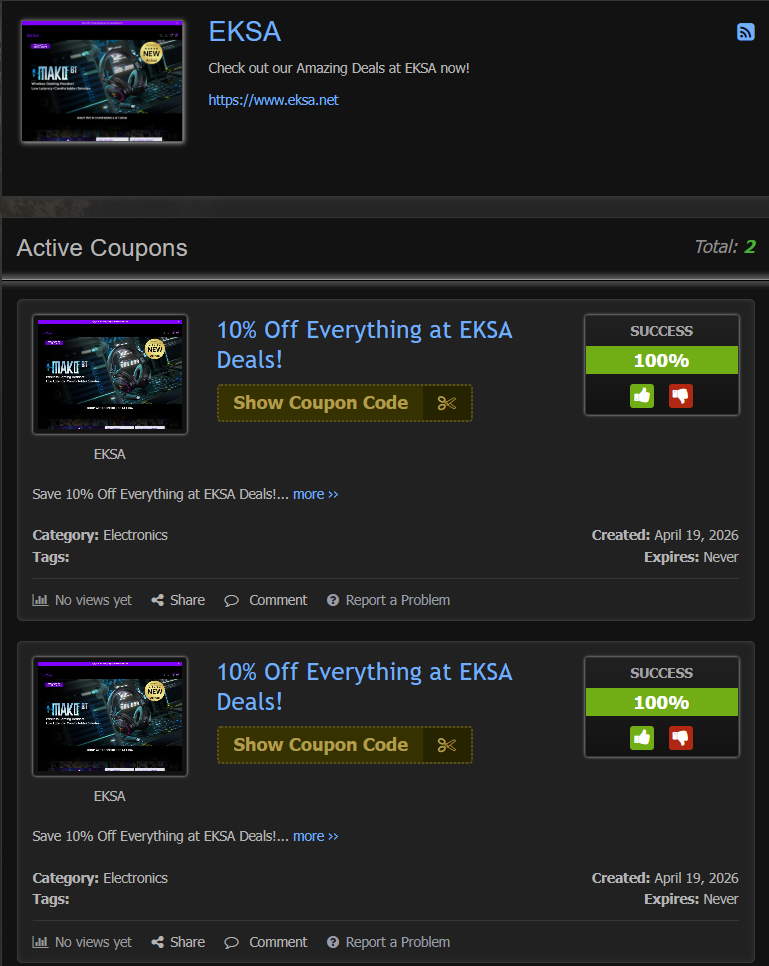
2. Click “Show Coupon Code”
When you click Show Coupon Code:
- The coupon code is revealed instantly
- The code is automatically copied to your clipboard
- You are redirected to the store’s website
⚡ This ensures you never lose your deal while shopping.
3. Shop on the Store’s Website
You will now be on the retailer’s official website. Add the items you want to your cart as usual.
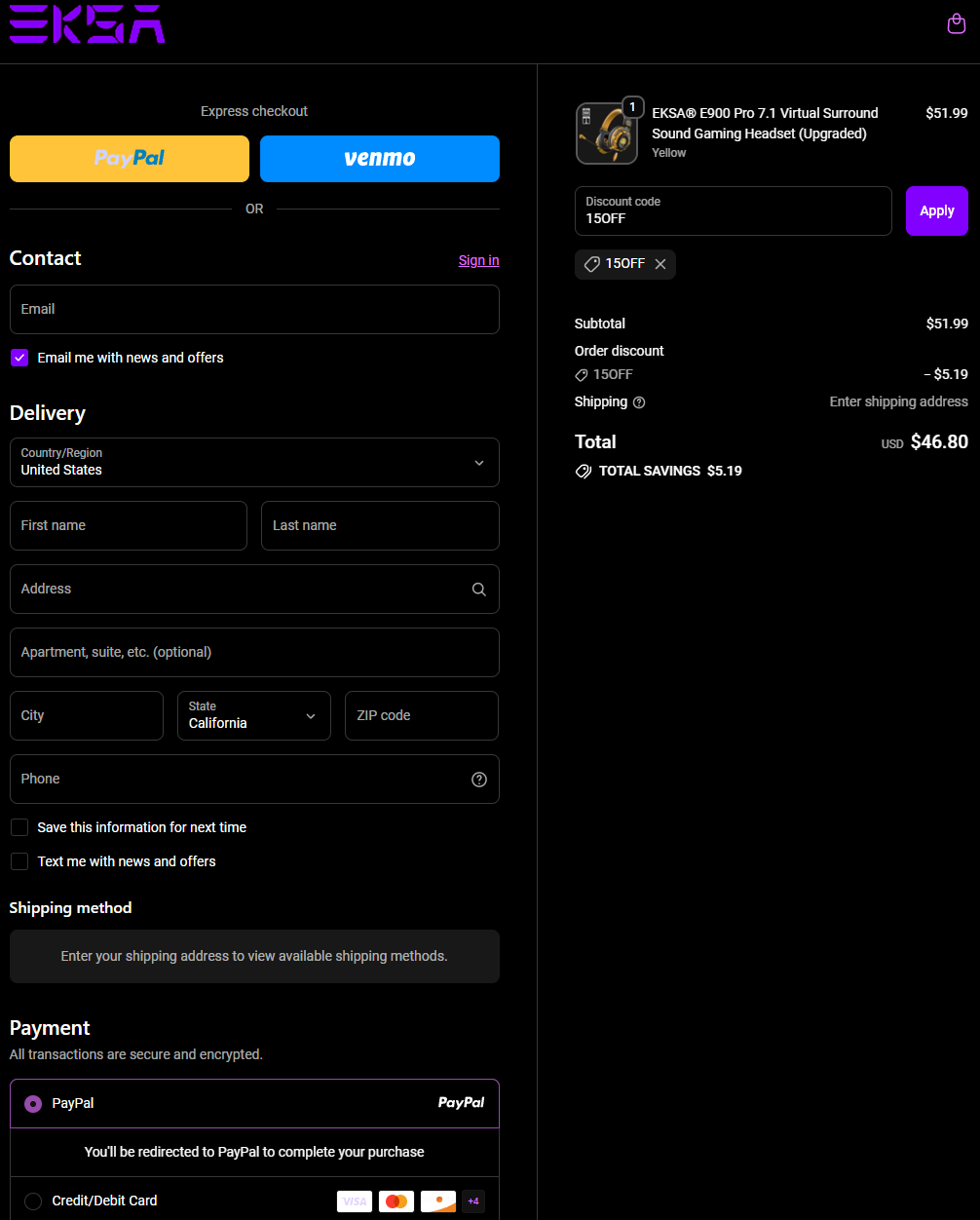
4. Apply Your Coupon at Checkout
When you’re ready to checkout:
- Go to the Promo Code / Discount box
- Paste the copied code
- Click Apply
💰 Your discount will automatically be deducted from your total.
💡 Important Tips
- Some codes are case-sensitive — paste exactly as shown
- If a code doesn’t work, check expiration or exclusions
- Only one coupon may apply per order unless stated otherwise
⚡ Why Use The Coupon Bros?
We make saving money effortless by:
- Providing verified coupon codes
- Sending you directly to stores with one click
- Helping you apply discounts without confusion
❓ Need Help?
If your coupon isn’t working or you need support, contact us anytime:
Contact The Coupon Bros